Every load, drafted to settled.
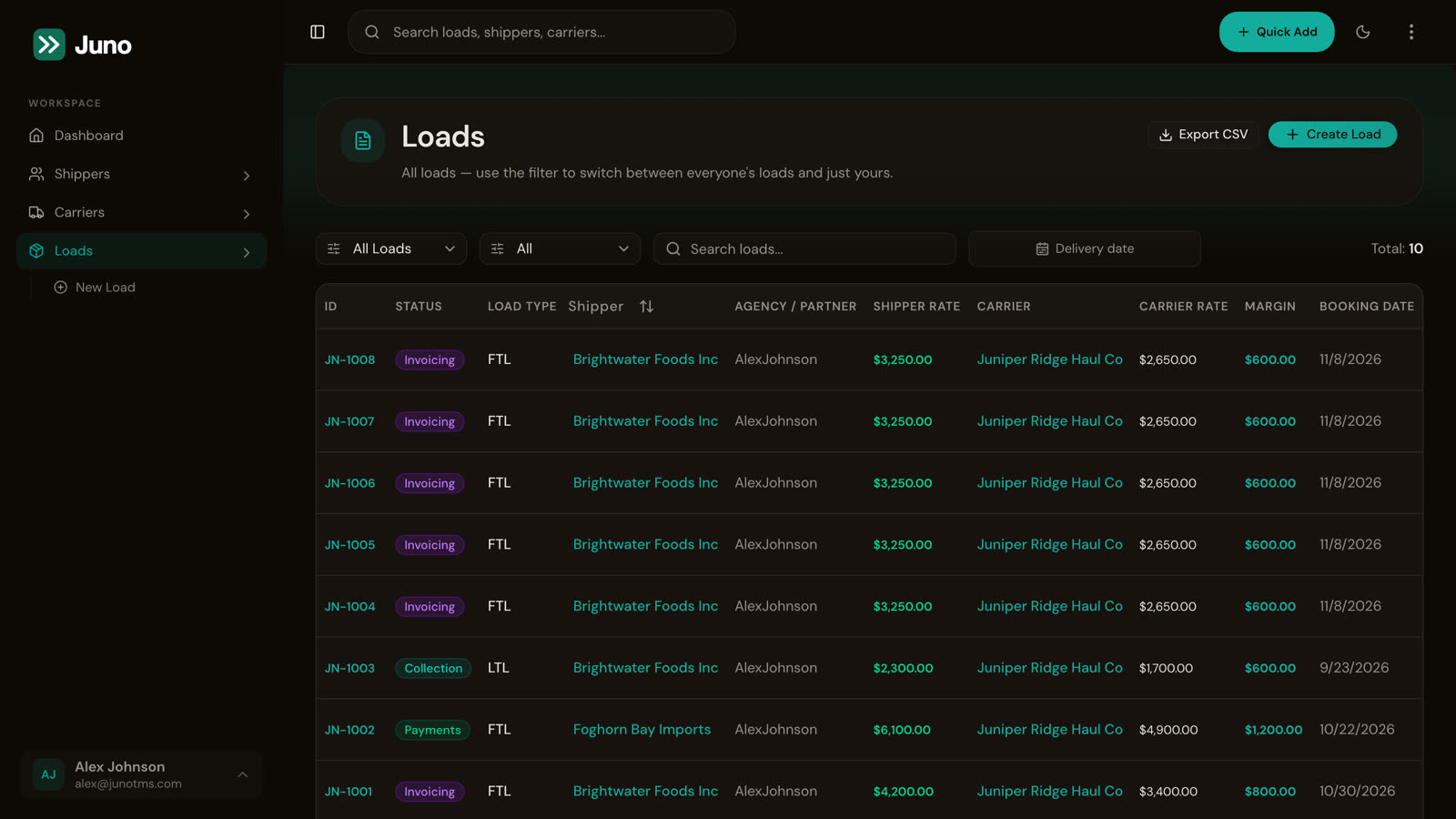
FTL, LTL and drayage on one list your whole team can read.
Less typing, fewer phone calls.
One booking form
Shipper, equipment, rate, pickups and drops in three steps. Quick Add is on every screen.
Saved addresses
Pick a shipper’s saved consignors and consignees, with search as you type.
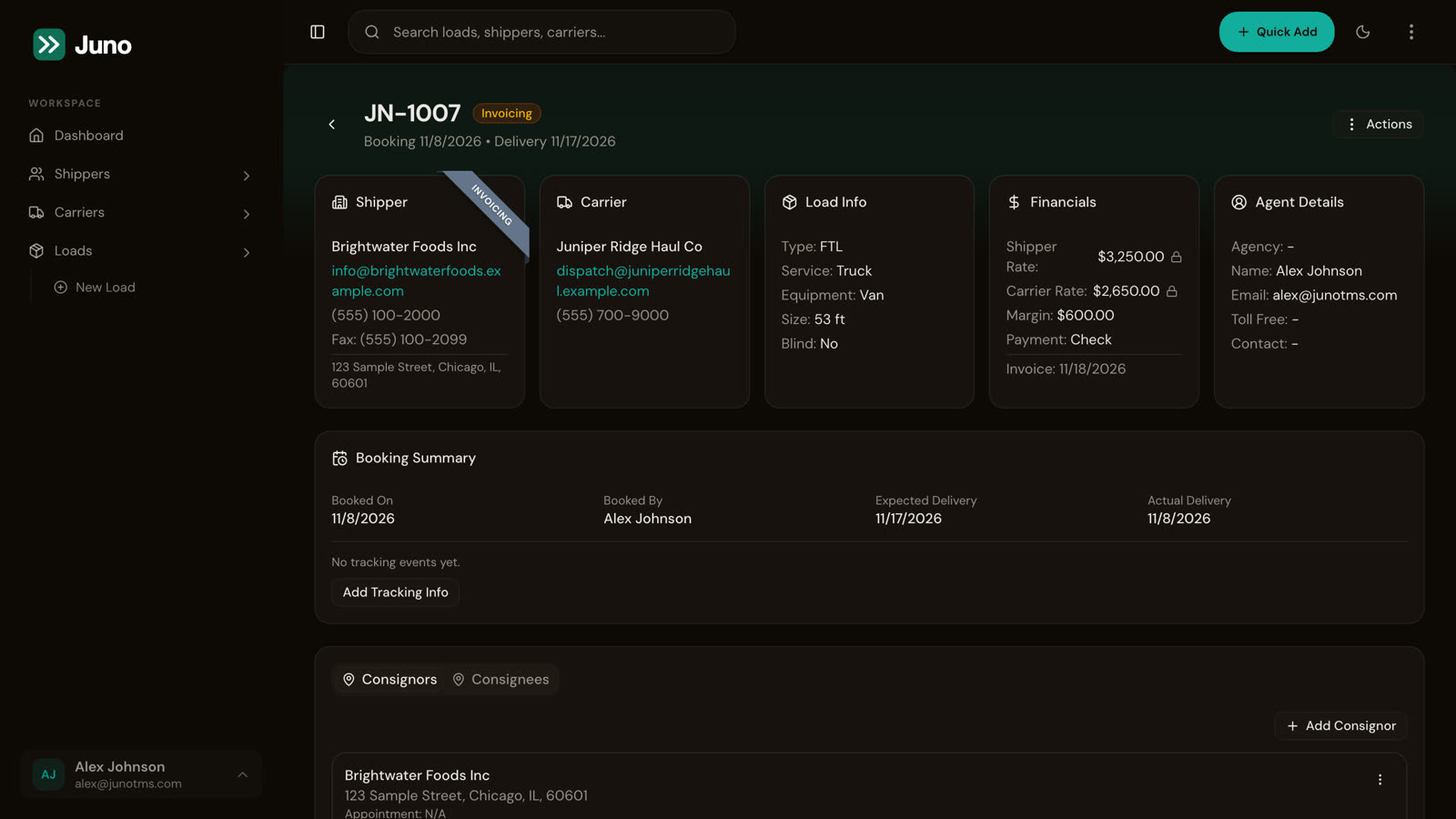
One status for everyone
From drafted to completed, anyone who should see a load can see where it stands, without a phone call.
Your list, exported
Filter the list, search it, or export it to CSV when you need it elsewhere.
Multiple stops, commodities and weights.
Add every pickup and drop with its commodity and weight, on the load itself.
See it on your own loads.
Book a walkthrough with someone who’s brokered freight, and get a quote for setup.